

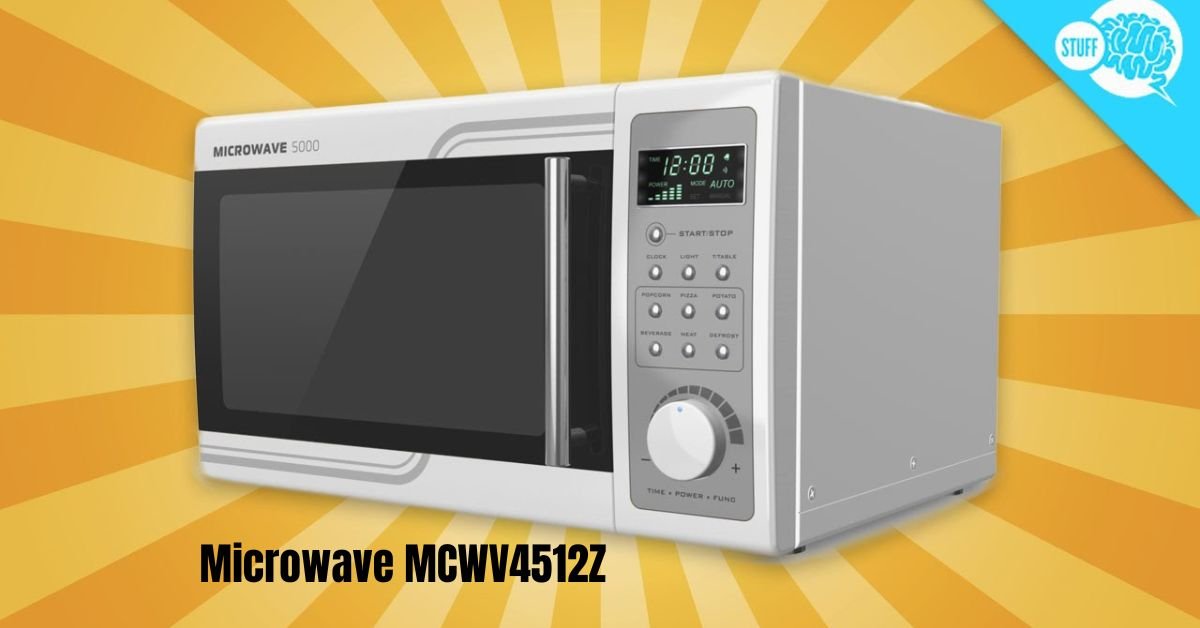
Microwaving might seem simple, but using the MCWV4512Z microwave effectively requires understanding its features and settings. This modern countertop microwave combines power, convenience, and safety in a sleek design, offering multiple power levels, preset cooking modes, and advanced functions like sensor cooking. Using it properly ensures even cooking, energy efficiency, and food safety, while avoiding common issues such as overheating, uneven heating, or damage to the appliance.
Whether you are reheating leftovers, defrosting frozen items, or preparing meals from scratch, knowing the step-by-step operation of this model helps you achieve the best cooking results. This guide covers basic operations, advanced functions, safety tips, maintenance, troubleshooting, and practical advice. By the end, you will confidently use your MCWV4512Z microwave to save time, preserve food quality, and make cooking easier and more enjoyable.
1. Key Features of the MCWV4512Z Microwave
The MCWV4512Z is designed to make daily cooking simple and efficient. Its main features include:
- Digital Control Panel: Easy-to-read LED display and touch buttons for precise control.
- Preset Cooking Functions: Options like popcorn, beverages, defrost, and reheating for convenience.
- Multiple Power Levels: Usually up to 10 levels for flexible cooking intensity.
- Sensor Cooking: Automatically adjusts cooking time and power for selected foods.
- Child Safety Lock: Prevents accidental operation in households with children.
- Rotating Turntable: Ensures uniform heating of food.
- Compact Design: Fits easily on countertops with adequate ventilation space.
These features are designed to save time while ensuring consistent and safe results.
2. Step-by-Step Instructions for Basic Use
Step 1: Prepare Your Food
- Use microwave-safe containers made of glass or ceramic. Avoid metal or aluminum foil.
- Arrange food evenly on the turntable for proper rotation.
Step 2: Close the Door
- Ensure the door is fully closed; the microwave will not start otherwise.
Step 3: Select Cooking Method
- Quick Start/Express: Press the Start/+30 sec button. Each press adds 30 seconds.
- Time Cook: Enter desired cook time using the keypad and press Start.
- Preset Functions: Select a preset mode like defrost, beverage, or popcorn for automatic settings.
Step 4: Adjust Power Level (Optional)
- Press the Power Level button to reduce intensity for gentle cooking or defrosting.
Step 5: Start Cooking
- Once settings are chosen, press Start. The microwave counts down and stops automatically.
3. Defrosting and Reheating
Defrosting
- By Weight: Enter the food’s weight; the microwave calculates the defrost time.
- By Time: Select the defrost function and set a time manually.
Tips:
- Turn or stir food halfway for even thawing.
- Let large pieces stand a few minutes after defrosting to ensure uniformity.
Reheating
- Cover food to retain moisture.
- Stir or rotate halfway to avoid cold spots.
- Avoid overcrowding containers for best results.
4. Understanding Power Levels
The MCWV4512Z offers multiple power settings:
- High (100%): Rapid heating for beverages and boiling water.
- Medium-High (70–80%): Suitable for cooking meat or dense foods.
- Medium/Low: Gentle heating for delicate foods or melting chocolate.
- Defrost: Safely thaws food without cooking edges.
- Warm: Maintains food warmth without overcooking.
Choosing the correct power level improves cooking results and prevents overcooked or dry food.
5. Safety Tips
- Never run the microwave empty — it can damage the magnetron.
- Use only microwave-safe containers; never put metal inside.
- Ensure at least 3 inches of ventilation space around the unit.
- Clean the interior regularly to prevent smells and maintain performance.
- Use the child lock feature if needed.
By following these guidelines, you protect both yourself and your appliance.
6. Cleaning and Maintenance
- Interior: Wipe after each use. For tough spots, heat a bowl of water with lemon juice for 2 minutes, then wipe clean.
- Exterior: Use a mild cleaner or damp cloth; avoid abrasives.
- Turntable: Remove and clean regularly.
- Ventilation: Clean vents monthly to ensure proper airflow.
Regular maintenance ensures the microwave performs efficiently and extends its lifespan.
7. Troubleshooting Common Issues
- Microwave won’t start: Check the power connection and ensure the door is properly closed.
- Uneven heating: Stir or rotate food halfway and avoid overcrowding.
- Turntable not rotating: Ensure the tray is properly seated on the motor spindle.
- Control panel unresponsive: Unplug the unit for 5–10 minutes to reset.
For persistent technical issues, such as magnetron or door switch failure, contact a professional technician.
8. Advanced Tips for Best Results
- Preheat food when using multiple stages of cooking.
- Use the sensor cooking function if available for automatic time adjustments.
- Avoid microwaving food in sealed containers to prevent pressure buildup.
- When reheating liquids, stir midway to prevent “explosive boiling.”
- Experiment with power levels for delicate foods like chocolate or cheese to avoid burning.
Read More: Greblovz2004: The Ultimate Open-World Gaming Experience
Conclusion
The MCWV4512Z microwave is a versatile and user-friendly appliance that simplifies everyday cooking. By understanding its features, including multiple power levels, presets, and sensor cooking, you can heat, cook, and defrost food efficiently and safely. Proper use of microwave-safe containers, even placement of food, and following safety precautions ensure consistent results and protect both your food and appliance. Regular cleaning and maintenance keep the microwave functioning at its best, while troubleshooting tips can solve common issues quickly.
Using the MCWV4512Z effectively saves time in the kitchen, improves food quality, and allows you to enjoy a wide range of meals without hassle. With this guide, you now have a comprehensive understanding of how to operate, maintain, and maximize the performance of your MCWV4512Z microwave. Mastering these steps will help you cook confidently, safely, and efficiently every day.
FAQs
1. How do I microwave food on the MCWV4512Z?
Place food in a microwave-safe dish, close the door, set the desired time or preset, adjust the power level if needed, and press Start.
2. Can I defrost meat in the MCWV4512Z?
Yes. Use the defrost function by weight or time, and turn or stir food halfway for even thawing.
3. What power level should I use for cooking?
High for quick heating, medium for meat or vegetables, and low for delicate foods or gentle warming.
4. Why isn’t my microwave heating food evenly?
Ensure food is placed centrally on the turntable, stir halfway through, and avoid overcrowding containers.
5. How do I clean and maintain my MCWV4512Z microwave?
Wipe the interior after use, clean vents monthly, wash the turntable regularly, and wipe the exterior with a mild cloth.
