

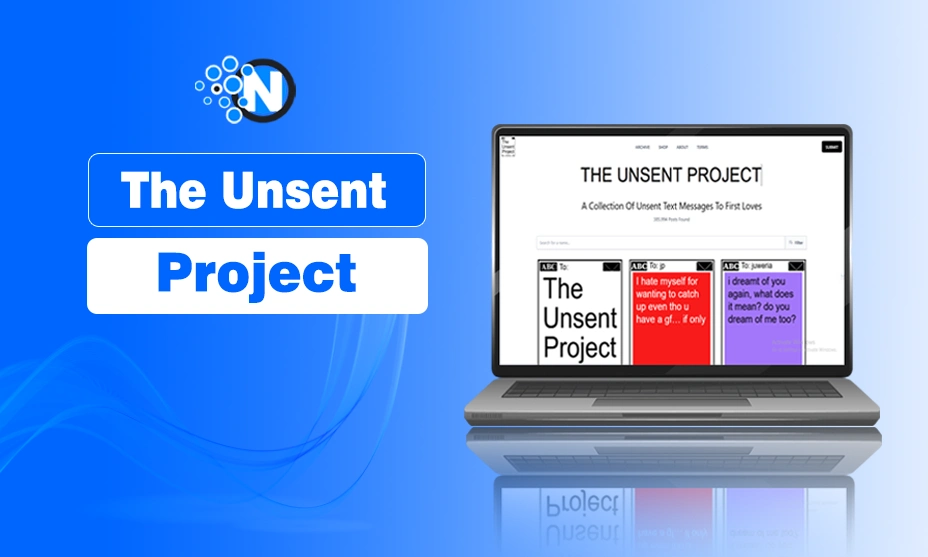
In today’s fast-paced digital world, sending a project, email, or message too early can create stress, embarrassment, or even professional challenges. Whether it’s an email sent to the wrong client, a message with errors, or a document prematurely shared with your team, mistakes happen. Luckily, most digital communication platforms offer ways to undo a send, retract a message, or prevent accidental delivery. These tools give you a brief window to fix mistakes before they become permanent.
However, not all platforms work the same, and some limits are often misunderstood. Beyond technical solutions, there’s also the emotional aspect: messages or projects left unsent can have their own significance. This guide will explain what it truly means to unsend a project or message, how to use available tools effectively, best practices to prevent accidental sends, and insights into unsent communications. By the end, you’ll know how to manage mistakes and communicate with confidence.
1. Understanding “Unsend”
Unsend is a digital feature that allows you to cancel or retract a message after clicking “Send” but before it reaches the recipient. The concept seems simple, yet its application varies across platforms:
- Email Systems: In Gmail or Apple Mail, unsending works by delaying the delivery for a short period. You can undo the send before the email leaves the outbox.
- Corporate Environments: Outlook allows message recall but only under specific conditions, such as both sender and recipient using the same server and the message remaining unread.
- Social Platforms: Apps like WhatsApp or Messenger allow deleting sent messages within a limited time window, which removes the message for both sender and recipient in most cases.
It’s important to distinguish between “unsend” and “unsent.” Unsending refers to retracting a message already sent, while unsent messages are drafts or projects never shared. Interestingly, unsent messages can carry emotional weight, highlighting things people chose not to share.
2. How to Unsend Emails Step by Step
2.1 Gmail
Gmail offers an “Undo Send” feature that delays delivery for a few seconds. Here’s how to use it:
- After hitting Send, a notification appears at the bottom of the screen.
- Click Undo within the allowed window.
- The email will reopen as a draft, allowing you to edit or delete it.
You can also adjust the cancellation period from 5 to 30 seconds in Gmail’s settings. This ensures you have enough time to catch mistakes before the email is sent permanently.
2.2 Apple Mail
Apple Mail on iPhone, iPad, or Mac also supports undoing sent emails:
- After sending, a prompt will appear to Undo Send.
- Tap quickly to retract the message.
- You can edit the email or delete it completely.
Enabling a delay on outgoing mail in Apple Mail settings provides a buffer, making it easier to avoid mistakes.
2.3 Outlook
Outlook’s approach is called Recall This Message:
- Open your Sent Items folder.
- Select the email you want to recall.
- Choose Recall This Message from the menu.
- Decide whether to delete unread copies or replace the message.
This feature works only if the recipient is on the same server and has not opened the message yet. Otherwise, recall may fail, and the recipient may even receive a notification about the attempt.
3. Why Unsend Isn’t Always Possible
Even with advanced tools, there are limitations to unsending:
- Delivered Messages: Once a message reaches the recipient’s inbox or server, it is usually impossible to retract.
- Platform Limitations: Some email or messaging services don’t support unsending or recall.
- Timing: Delay windows for undoing a send are very short. Missing the window means the message is permanently sent.
Understanding these limits helps manage expectations and encourages proactive steps to prevent accidental sends.
4. Emotional and Creative Aspect of Unsent Messages
Not all unsent messages are mistakes. Some remain unsent for personal or emotional reasons. There are platforms and projects dedicated to preserving unsent messages, showing that the things we choose not to send can have deep meaning. Whether it’s an apology never made, a love letter never delivered, or feedback never given, unsent messages reveal inner thoughts and emotions. In professional contexts, drafts often remain unsent until they are carefully reviewed, highlighting the value of reflection before sharing.
5. Preventing Accidental Sends
The best way to handle unsent projects or messages is to prevent mistakes in the first place. Here are some practical tips:
- Double-Check Recipients: Always confirm who will receive the email or document.
- Proofread: Review messages for typos, missing attachments, or unclear content.
- Use Drafts: Compose messages or projects in drafts, then review them later.
- Enable Delay Features: Platforms like Gmail allow send delays, giving extra time to reconsider.
- Pause Before Sending: Especially for sensitive messages, take a moment to think before hitting send.
By following these strategies, you reduce the need for unsending and maintain professionalism in your communication.
6. Unsend in Project Management
The unsend concept is not limited to emails. In project management platforms, accidentally sharing a project or document can have serious consequences. Some systems offer version control, undo features, or restricted access:
- Version Control: Allows reverting to a previous version if changes were sent accidentally.
- Access Management: Restricting permissions ensures that sensitive projects aren’t sent to unintended recipients.
- Review Workflows: Implementing review processes before sharing helps catch mistakes early.
Understanding these tools ensures that projects are shared accurately and securely.
7. Tools and Apps for Unsend Features
Many tools and apps provide ways to manage sent messages or projects:
- Email Apps: Gmail, Apple Mail, and Outlook have built-in unsend or recall functions.
- Messaging Apps: WhatsApp, Messenger, Telegram, and Slack allow message deletion within a short window.
- Collaboration Platforms: Google Docs, Microsoft Teams, and other project management tools provide undo, version history, or restricted sharing options.
Familiarity with these tools maximizes your control over sent content and reduces errors.
Read More: How to Use Anna’s Archive: A Complete Guide for 2025
Conclusion
Accidentally sending a project, email, or message is a common problem in digital communication, but unsend features can provide a solution—if you act quickly and understand their limitations. Gmail, Apple Mail, Outlook, and various messaging apps offer ways to retract messages within a limited window, while project management tools provide version control and restricted sharing to prevent accidental sends. However, once a message is fully delivered or read, it cannot usually be unsent, emphasizing the importance of prevention.
Beyond the technical aspect, unsent messages can carry emotional significance, reflecting thoughts or feelings left unsaid. By combining technical knowledge with thoughtful habits, such as reviewing drafts, enabling delays, and double-checking recipients, you can communicate confidently, avoid mistakes, and manage your digital projects efficiently. Ultimately, mastering the art of unsending helps maintain professionalism, protect sensitive information, and reduce stress in today’s fast-paced digital world.
FAQs
1. Can I unsend a message after it’s delivered?
No, once the message reaches the recipient’s inbox or server, it is usually permanent. Only certain corporate systems allow recalls under strict conditions.
2. How long do I have to unsend an email?
It depends on the platform. Gmail allows up to 30 seconds if configured, Apple Mail gives a short window, and other apps vary.
3. What should I do if there is no “Undo Send” option?
Check the settings of your email or messaging app. Not all platforms have undo features, and some require enabling it manually.
4. Does unsend work on social messaging apps?
Many apps like WhatsApp and Messenger let you delete messages for both sender and recipient within a limited time. However, the recipient may still see the message if notifications appear first.
5. What are unsent messages?
Unsent messages are drafts or projects never shared. They can reflect emotional, creative, or professional considerations, highlighting the value of reflection before sending.
